I2C Protocol, Explained
Inter-Integrated Circuit (I2C): how the master/slave two-wire bus works, where it is used, and a simple Arduino example for reading a sensor over I2C.
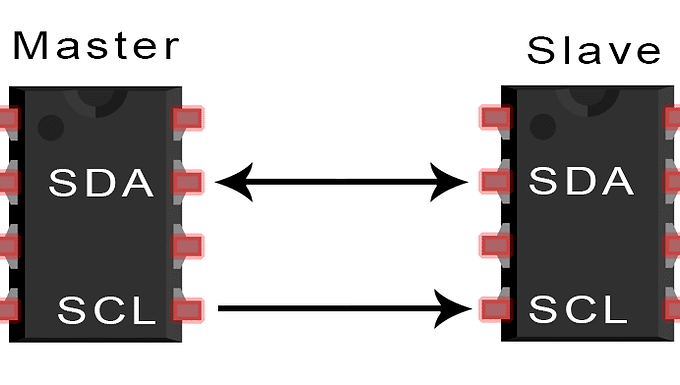
I2C stands for Inter-Integrated Circuit, a widely used communication protocol in almost any electronic device with a microcontroller or microprocessor. It is a fairly simple protocol compared to the Serial Peripheral Interface (SPI).
I2C was introduced by NXP Semiconductors in the 1980s as a way to communicate between different parts of a TV. It was then widely adopted as a standard protocol due to its ease of use in embedded systems.
Features of I2C
I2C uses a clock signal to synchronize communication between two devices over a bidirectional data line, through a master/slave architecture. It allows multiple devices to be connected on the same bus, which reduces the number of wires needed in a system. If a slave device cannot keep up with the processing, it can hold the clock line low to make the master wait. In most applications, sensors and actuators send data to microcontrollers using I2C. Its reliability and simplicity are what made it an industry standard.
Application
To read a temperature sensor, the microcontroller sends a signal followed by the address of the sensor. The temperature sensor responds with its own address, indicating that it is ready to receive commands. The microcontroller then sends a command to read the temperature data, and the sensor responds with the requested data, which the microcontroller can use to make decisions.
In this way, I2C lets you communicate with various components using a standardized, simple protocol. It is widely used in:
- Consumer electronics: smartphones, tablets, and laptops connect sensors, touch controllers, and displays to the main processor. For example, the accelerometer in a smartphone uses I2C to transmit data to the processor.
- Internet of Things (IoT): between the main controller and temperature/humidity sensors, motion detectors, and light sensors.
- Embedded systems: transmitting data from a control unit to temperature and pressure sensors.
- Industrial control systems: PID control, robotic arms.
- Medical devices: blood monitors, ECG machines, and pulse oximeters.
Arduino example
The Wire library is used in Arduino to drive the I2C protocol. Wire.begin() initializes the I2C interface. To send a command, use Wire.beginTransmission() with the device address (from its datasheet). To receive data, use Wire.requestFrom() with the address and the number of bytes expected, then read with Wire.read().
#include <Wire.h>
void setup() {  Wire.begin();         // Initialize I2C interface  Serial.begin(9600);   // Initialize serial communication}
void loop() {  Wire.beginTransmission(0x__);  // Start communication with device address 0x__  Wire.write(0x>>);              // Send command to request data  Wire.endTransmission();
  Wire.requestFrom(0x__, a);     // Request 'a' bytes of data from the device
  if (Wire.available() == 2) {    int highByte = Wire.read();                     // Read high byte    int lowByte  = Wire.read();                     // Read low byte    int sensordata = (highByte << 8) | lowByte;     // Combine high and low bytes    Serial.print("Sensor Data ");    Serial.println(sensordata);  }  delay(500);}
Originally published on sslabs.in.